
What's in a name? Giving Nebula hosts URLs
Use the Defined Networking API to sync your Nebula host names to your DNS provider, so your hosts are reachable by name from anywhere.
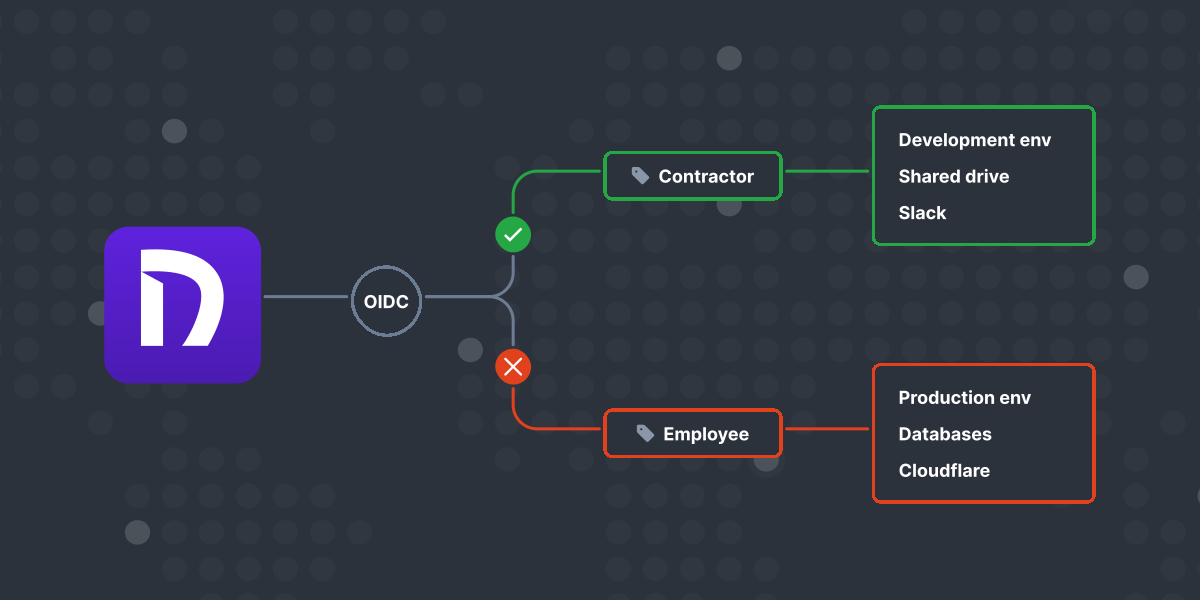
When we launched DNClient Desktop earlier this year, we promised this was just the beginning of our commitment to making Managed Nebula easier to use. Today, we’re delivering on that promise with Single Sign-On (SSO) support—bringing enterprise-grade authentication to your Nebula networks.
While enrollment codes simplified the initial setup process, many organizations need the security and convenience of centralized authentication. SSO support in DNClient Desktop eliminates the need for separate network credentials while strengthening security through your existing identity provider.
For end users, SSO transforms the network access experience. You can now connect to your Nebula networks with one click using your familiar corporate credentials—no more enrollment codes or separate passwords to remember. When you authenticate, your device is automatically provisioned with the appropriate network role, all through the same intuitive DNClient Desktop interface you already know.
Administrators gain powerful centralized control through their existing identity provider. User management, role-based access control, and onboarding processes are now automated and unified with your organization’s security policies. When employees join or leave, their network access is automatically granted or revoked through your SSO system, eliminating manual configuration and reducing security risks.
Getting started with SSO builds on DNClient Desktop’s already simple setup:


This SSO release represents our ongoing dedication to making Managed Nebula the easiest and most secure way to connect your devices. Just as DNClient Desktop simplified network management with its user-friendly UI, SSO support now brings that same simplicity to enterprise authentication.
For unattended servers and automation scenarios, the DNClient Server variant continues to support enrollment codes. DNClient Desktop also continues to support enrollment codes alongside the new SSO capabilities.
SSO support is available now for all DNClient Desktop users on Windows and macOS. Whether you’re upgrading from enrollment codes or setting up a new network, our complete setup documentation will guide you through the process.
Questions or need assistance? Contact our support team—we’re here to help you make the most of this powerful new feature.
Use the Defined Networking API to sync your Nebula host names to your DNS provider, so your hosts are reachable by name from anywhere.
A free, hosted managed lighthouse is now part of every new Managed Nebula network — sign up, enroll two machines, and they'll be instantly connected.
Mobile Nebula v0.10.0 brings Always On support, custom DNS resolvers, full config imports, and inbound firewall rules to Android and iOS.
Connectivity that just works. Connect up to 100 devices free, no credit card required.

